Tinggal Pakai! 3 Prompt Video Action Figure Google Gemini AI Miniatur yang Bisa Bergerak





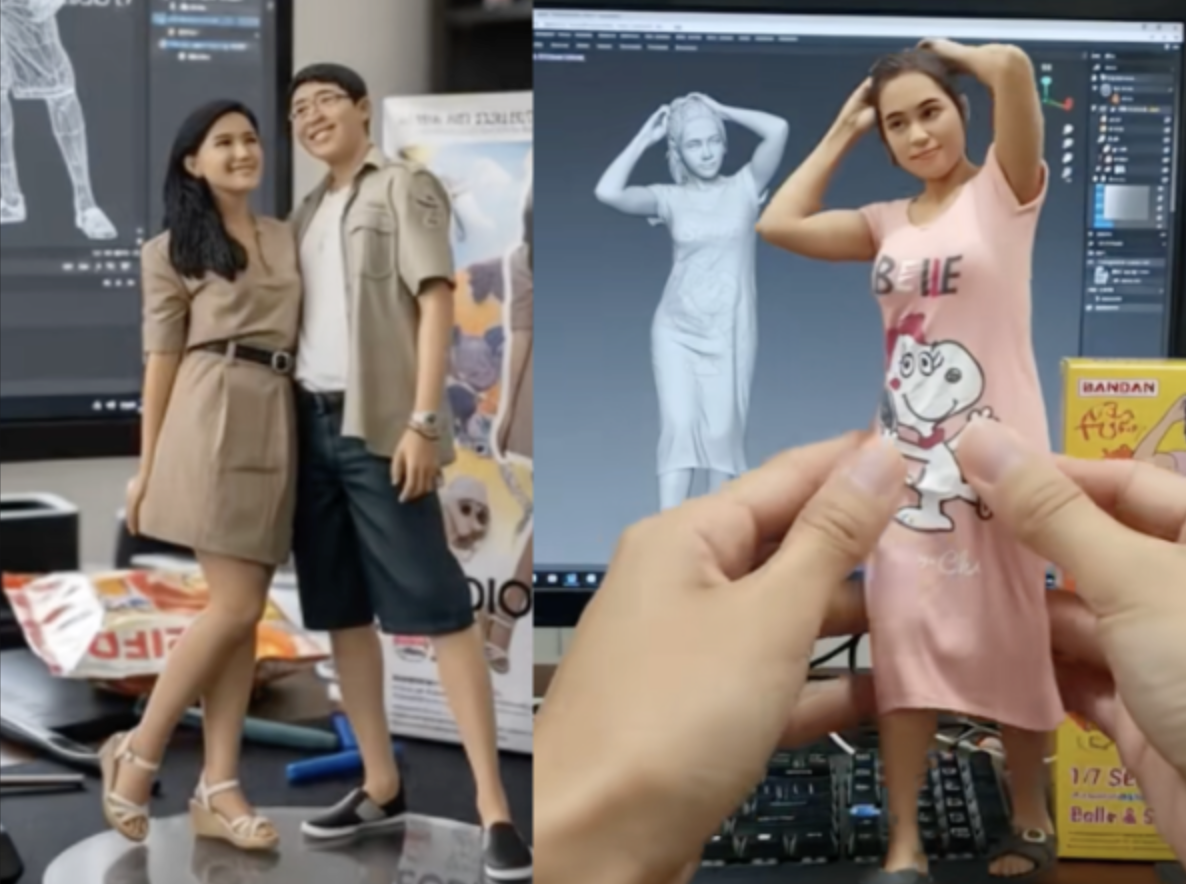
Pengin ikutan tren bikin video action figure google gemini ai miniatur yang bergerak? Pastinya menyenangkan ya membuat video miniatur diri kita maupun orang yang kita sayangi.
Yang lebih menyenangkan adalah ketika kita mengunggahnya ke media sosial, membagikannya kepada orang terkasih tersebut dan membuatnya tersenyum. Anda bisa mewujudkannya dengan mudah berkat kecerdasan buatan, khususnya Google Gemini AI untuk membuat fotonya dan Openart.ai untuk membuat agar action figur di dalam foto bergerak. Artikel ini akan memandu Anda langkah demi langkah untuk membuat video action figure yang menakjubkan.
Yang Anda Perlukan
-
Akses ke Google Gemini: Pastikan Anda memiliki akses ke aplikasi Gemini di ponsel (melalui Google App) atau melalui website https://gemini.google.com/. Fitur pembuatan video (image-to-video) mungkin masih terbatas dan di-roll out bertahap.
Baca Juga: 3 Cara Membuat Action Figure Google Gemini AI Miniatur Paling Gampang!
-
Akses ke Openart.ai untuk mengkonversi foto menjadi video dengan objek bergerak.
-
Action Figure: Pilih foto diri atau foto orang terkasih Anda, atau foto Anda berdua dengannya. Semakin detail dan unik, semakin menarik hasilnya.
-
Pastikan juga foto yang Anda pilih adalah foto full body alias seluruh badan.
-
Latar Belakang Sederhana: Untuk hasil terbaik, ambil foto diri di atas latar belakang polos (putih atau netral) agar AI fokus pada objek utamanya.
-
Ide Kreatif: Siapkan konsep cerita atau adegan seperti apa yang Anda inginkan.
Langkah-Langkah Membuat Video Action Figure
Langkah 1: Ambil Foto yang berkualitqas
Ini adalah langkah paling krusial. Kualitas foto input sangat menentukan kualitas hasil video AI.
-
Pencahayaan: Gunakan pencahayaan yang baik dan merata untuk menghindari bayangan yang mengganggu.
-
Sudut Pengambilan Gambar: Ambil foto dari beberapa sudut (depan, samping, 3/4) untuk memberi AI lebih banyak referensi.
-
Resolusi Tinggi: Gunakan kamera ponsel dengan resolusi setinggi mungkin.
-
Latarnya Polos: Letakkan action figure di atas kertas putih atau latar belakang yang tidak ramai.
Langkah 2: Buka Google Gemini
-
Buka aplikasi Google Gemini (atau fitur Gemini di Google App) di ponsel Android atau iOS Anda. Atau, kunjungi situs webnya di browser.
Langkah 3: Berikan Perintah (Prompt) yang Jelas dan Kreatif
Klik ikon "Upload an image" (biasanya berbentuk gambar atau kamera) dan pilih foto action figure yang telah Anda ambil.
Setelah foto diunggah, saatnya memberikan perintah teks. Kualitas prompt sangat mempengaruhi hasil. Gunakan bahasa yang deskriptif dan jelas. Pastikan juga ada prompt yang mendeskripsikan gerakan action figure di dalam video tersebut.
Misalnya saja adalah gerakan memutar, atau gerakan sepasang tangan yang in-frame lalu memegang action figure yang ada di atas meja.
Contoh 1:
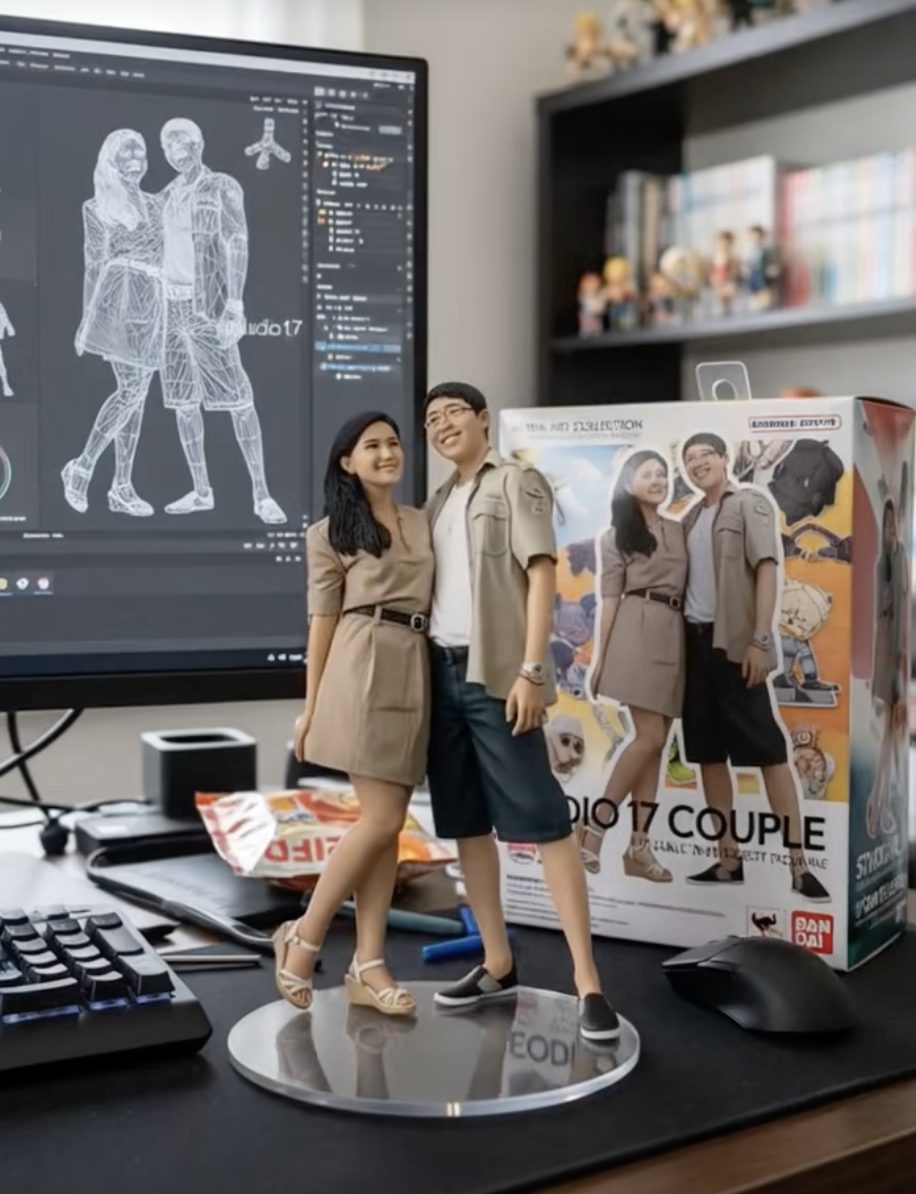 Action figure google gemini ai miniatur bergerak. (TikTok)
Langkah 1:
1. Buka Gemini
2. Upload fotonya
3. Masukkan promptnya:
Create a 1/7 scale intelligent figurine in the picture, in a realistic style, in arial environment. the figurine is plattered on a computer desk. the figurine has around transparent acrylic base, with no text on the base. the content on MAYA
the screen is the Zbrush modelling process of this figurine.
next on the computer screen is an BANDAI-style toy packaging box with printing. the packaging features two-dimentional flat illution.
Langkah 2 (agar bisa bergerak)
1. Buka openart.ai (https://openart.ai/video/i2v)
2. Upload foto yang dari Gemini di start frame dan end frame (foto yg sama)
3. Masukkan promptnya:
Nure two hand gently pick up the figurine with the transparent acrylic base on the frame and rotate it slighty for impaction. The model in the packaging box remain stationary, while all others background elements stay unchanged.
Contoh 2:
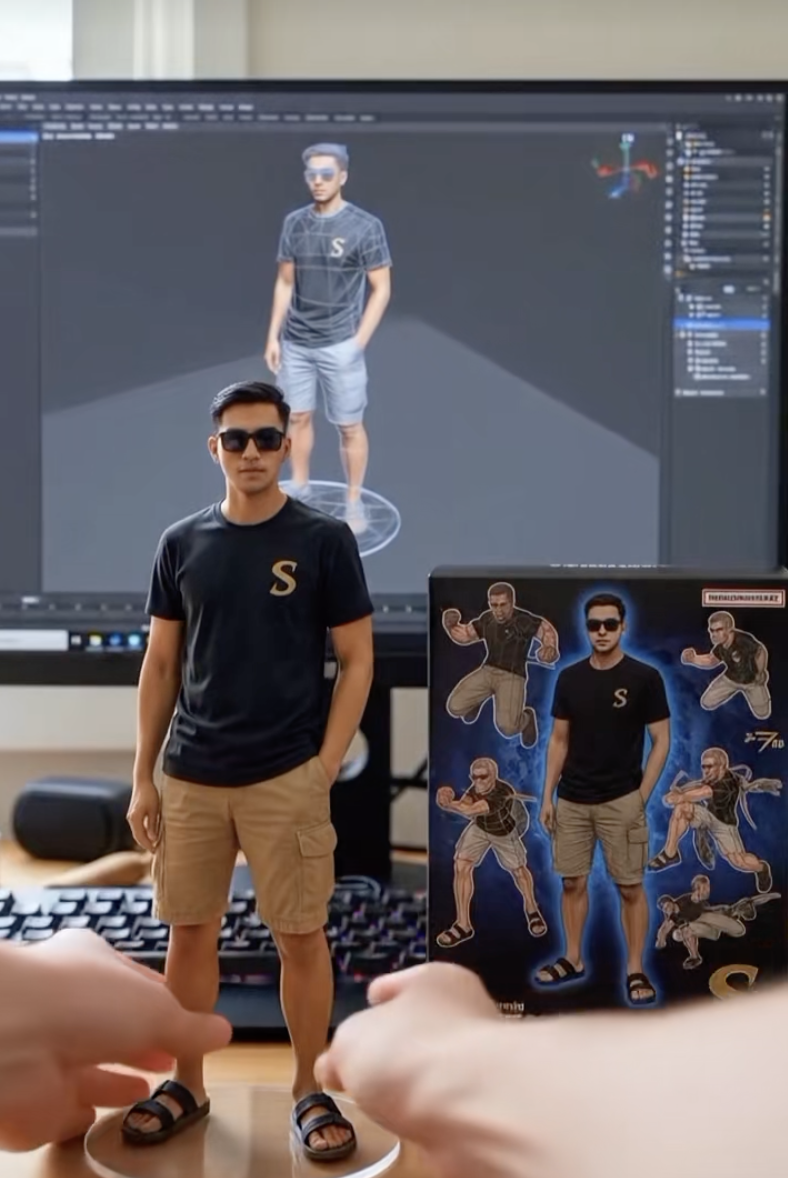 Action figure google gemini ai miniatur bergerak. (TikTok)
Langkah:
1. Buka Gemini AI
2. Masukkan foto
3. Masukkan prompt :
"Create a 1/7 scale commercialized figurine of the characters in the picture, in a realistic style, in a real environment. The figurine is placed on a computer desk. The figurine has a round transparent acrylic base, with no text on the base. The content on the computer screen is the Zbrush modeling process of this figurine. Next to the computer screen is a BANDAI-style toy packaging box printed with the original artwork. The packaging features two-dimensional flat illustrations."
4. Masuk ke Google chrome, cari Google AI Studio, pilih VEO2 (generate video).
Contoh 3:
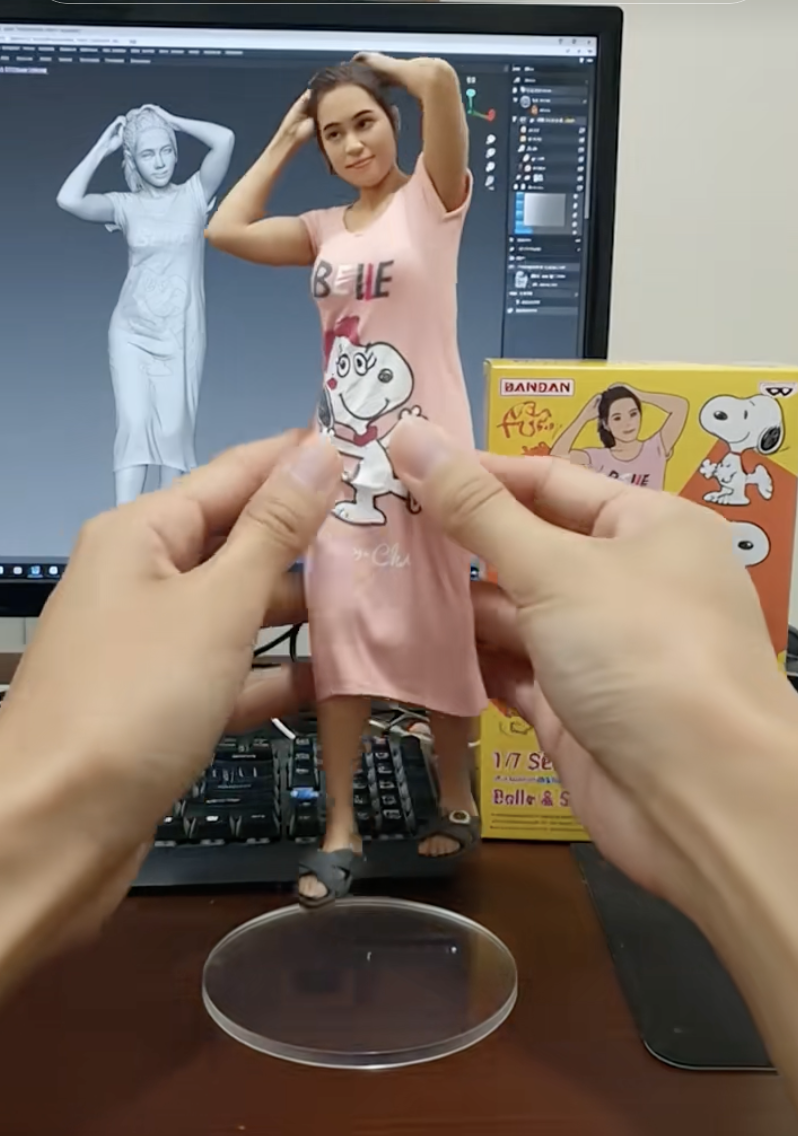 Action figure google gemini ai miniatur bergerak. (TikTok)
Langkah 1:
1. Buka Gemini AI
2. Masukkan foto
3. Masukkan prompt :
Using the model, create a 1/7 scale commercialized figurine of the characters in the picture, in a realistic style, in a real environment. The figurine is placed on a computer desk. The figurine has a round transparent acrylic base, with no text on the base. The content on the computer screen is the Zbrush modeling process of this figurine. Next to the computer screen is a BANDAI-style toy packaging box printed with the original artwork. The packaging features two-dimensional flat illustrations.
4. Download gambar
Langkah 2:
Langkah 2 (agar bisa bergerak)
1. Buka openart.ai (https://openart.ai/video/i2v)
2. Upload foto yang dari Gemini di start frame dan end frame (foto yg sama)
3. Masukkan promtnya:
Nure two hand gently pick up the figurine with the transparent acrylic base on the frame and rotate it slighty for impaction. The model in the packaging box remain stationary, while all others background elements stay unchanged.
Artikel ini ditulis oleh